MINDSET — HELP CENTER
🗑️ How to delete your Mindset account
We're sorry to see you go. If something isn't working, consider contacting support first — we respond within 24 hours and can often fix the issue.
If you have an active Premium subscription, please cancel it in the App Store or Google Play before deleting your account to avoid future charges.
Deleting your account is permanent and irreversible. All your data — focus sessions, room history, and preferences — will be removed within 30 days.
How to delete your account on iOS
iPhone · Mindset iOS app
Open Profile
Open the Mindset app and tap "Profile" in the bottom navigation bar.
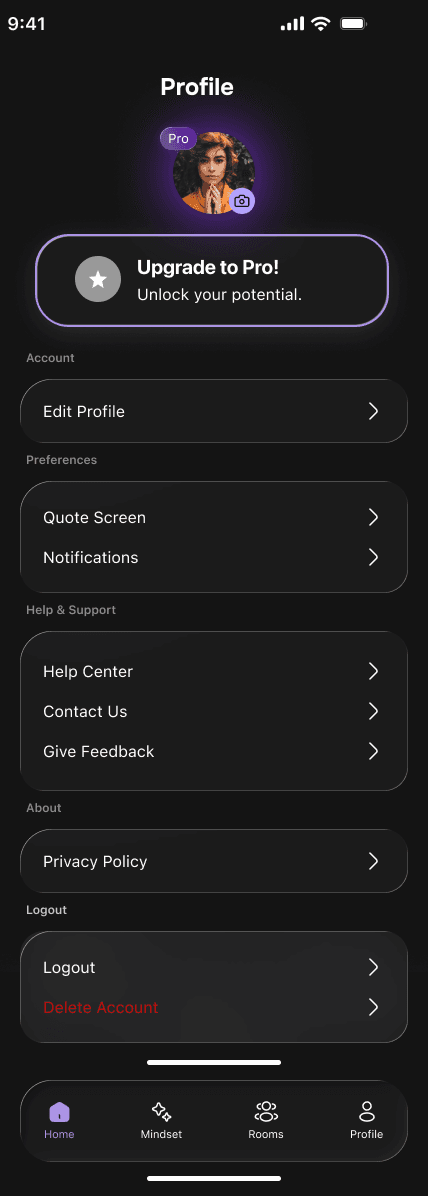
Tap "Delete Account"
Scroll to the bottom and tap "Delete Account" in the Logout section. It appears in red.
Review what will be deleted
A screen lists everything that will be permanently removed: your profile, all focus session history, room history, and subscription data.
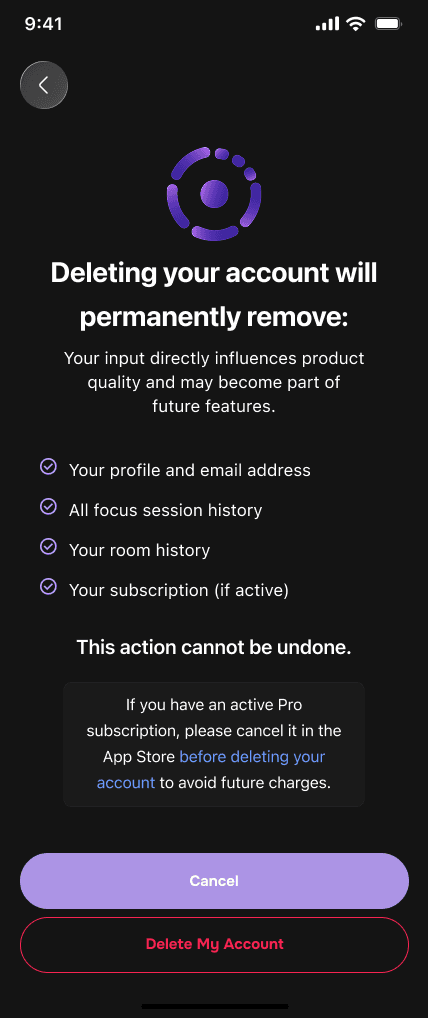
Tap "Delete My Account"
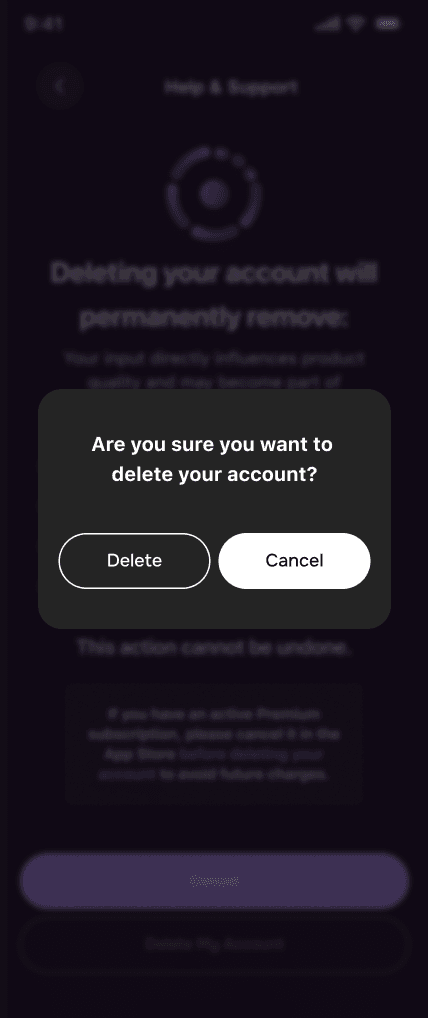
Tap the red "Delete My Account" button at the bottom. A confirmation popup appears — tap "Delete" to confirm.
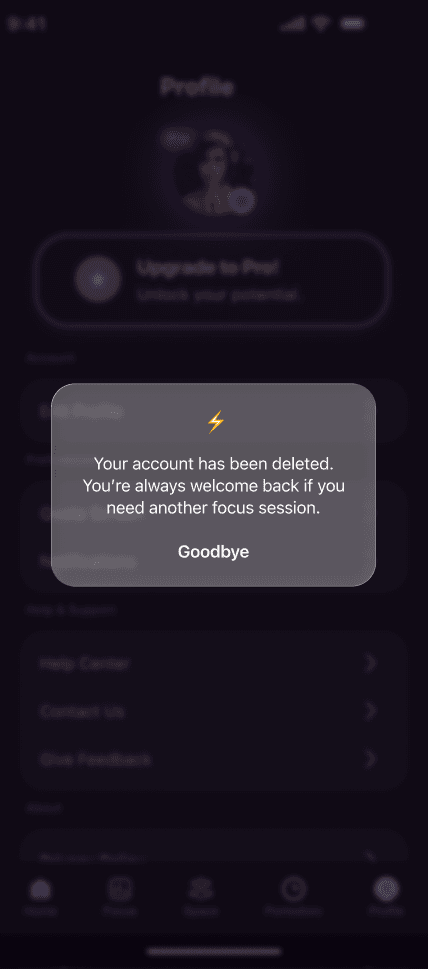
Done
Your account is scheduled for deletion. All data will be permanently removed within 30 days.
How to delete your account on Android
Android · Mindset Android app
Open Profile
Tap "Profile" in the bottom navigation bar.
Tap "Delete Account"
Scroll to the bottom and tap "Delete Account" in the Logout section.
Review what will be deleted
Review the list of everything that will be permanently removed. Note: if you have an active subscription, cancel it in Google Play before proceeding.
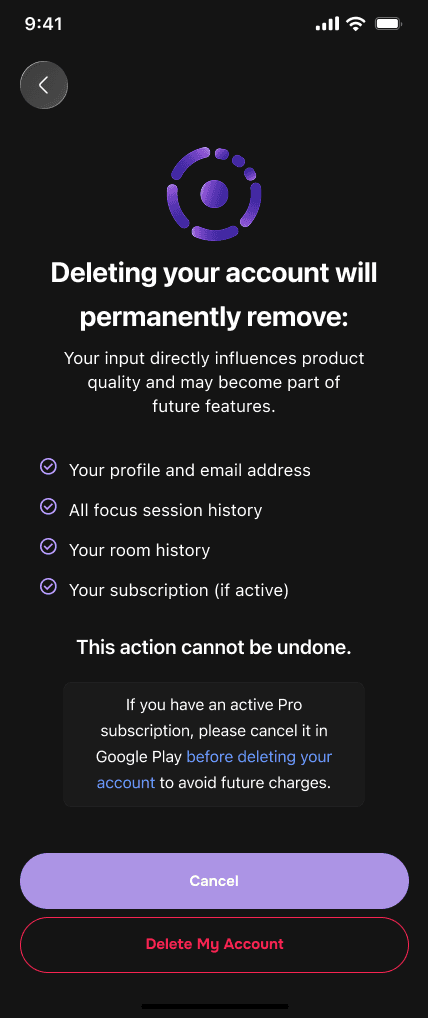
Tap "Delete My Account" and confirm
Tap the red button, then confirm in the popup.
Done
Your account is scheduled for deletion and all data will be removed within 30 days.
Can't access the app?
If you signed up with Google and can no longer access your account, you can request deletion directly from this page:
Request account deletion by email →Still need help? Email us at hello@mindsetapp.io and we will delete your account manually within 48 hours.